

Your website is often the first impression a potential customer has of your business. Before they call you, email you, or walk through your door — they’ve already visited your website and made a judgment.
If that first impression is a slow-loading, hard-to-navigate, visually dated website that doesn’t work properly on a phone — that potential customer is already gone, looking at your competitor’s site instead.
The problem is that most business owners don’t realise how much their website is costing them. It’s easy to get used to a website that “works fine” — without noticing that it’s quietly losing you leads, rankings, and revenue every single day.
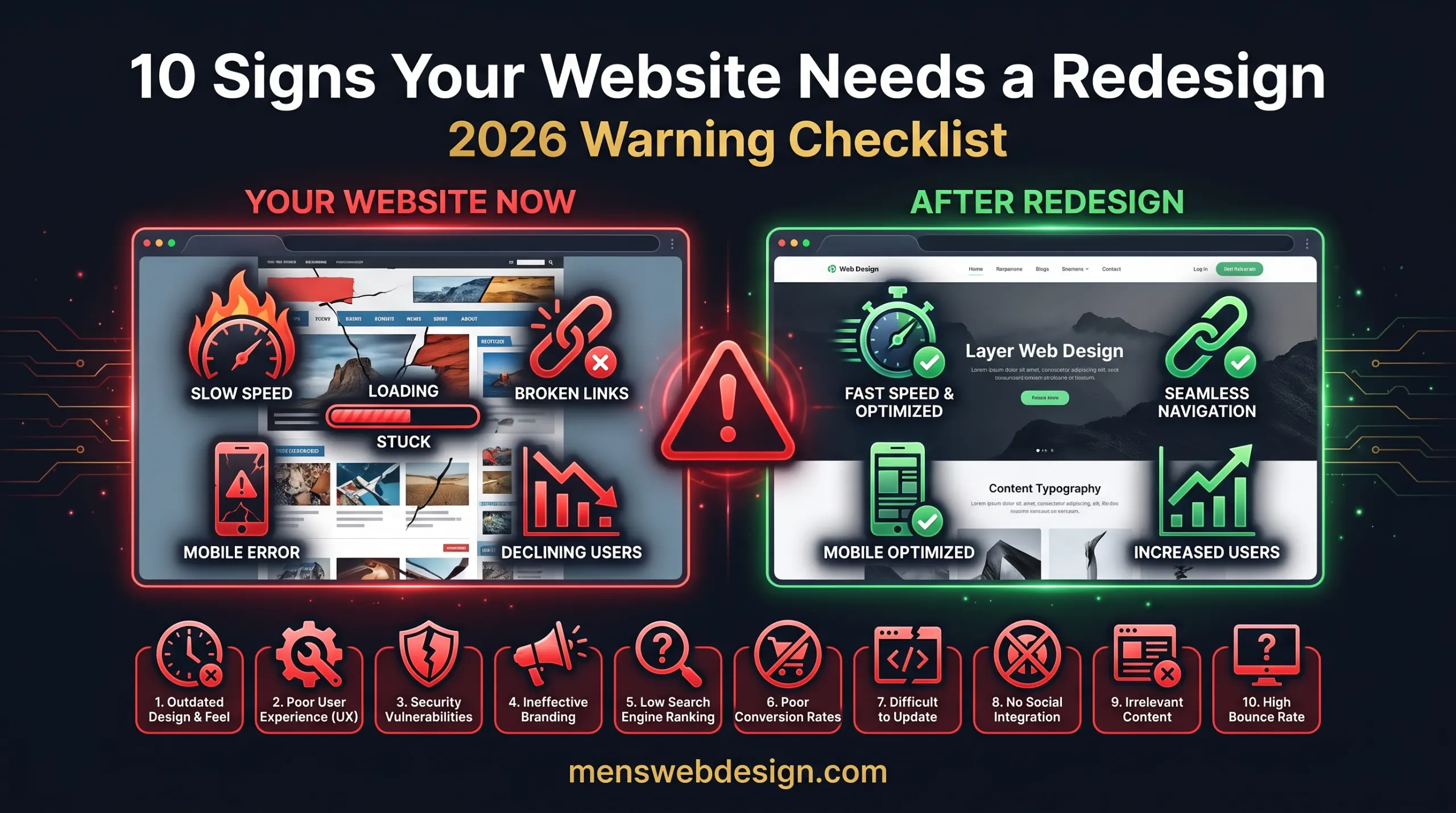
In this post, I’ll walk through the 10 most telling signs that your website needs a redesign in 2026 — and what each one means for your business.
Why 2026 Is a Critical Year to Evaluate Your Website
The web has changed dramatically in the last three years. Google has rolled out AI Overviews, updated its Core Web Vitals requirements, and made mobile-first indexing the default for all sites. Browser standards have evolved. User expectations for speed and experience have risen sharply.
A website built in 2021 or 2022 — even one that was excellent at the time — may be significantly outdated by today’s standards. And an outdated website doesn’t just look bad. It ranks lower, converts fewer visitors, and actively damages your brand credibility.
Here are the 10 signs to watch for.
Sign #1: Your Website Loads Slowly
Page speed is one of the most critical factors in both user experience and Google rankings in 2026. If your website takes more than 3 seconds to load on mobile, you are losing visitors before they’ve even seen your homepage.
Studies consistently show that a 1-second delay in page load time reduces conversions by up to 7%. For a business getting 500 visitors a month, that’s a significant number of lost leads — every single month.
How to check: Run your website through Google PageSpeed Insights. A score below 50 on mobile is a serious problem. Below 70 still needs significant improvement.
What it means for SEO: Page speed is a confirmed Google ranking factor through Core Web Vitals — LCP, INP, and CLS. A slow website ranks lower than a fast one, all else being equal.
The fix: Speed issues can sometimes be resolved without a full redesign — through image optimisation, caching, and a CDN. But if your site is built on a bloated theme with dozens of unused plugins, a clean rebuild is often faster and more effective than trying to patch an unmaintainable codebase.
For a detailed breakdown of Core Web Vitals and how to fix them, read my Core Web Vitals Guide for 2026.
Sign #2: Your Website Doesn’t Work Properly on Mobile
More than 60% of all web traffic globally comes from mobile devices in 2026. If your website isn’t fully optimised for mobile — meaning it’s hard to read, difficult to navigate, or broken on a phone — you are failing the majority of your visitors.
Google uses mobile-first indexing, which means it crawls and ranks the mobile version of your website, not the desktop version. A poor mobile experience doesn’t just frustrate visitors — it directly hurts your Google rankings.
How to check: Open your website on your phone and genuinely try to use it. Can you read the text without zooming? Are buttons easy to tap? Does the navigation work? Also run it through Google’s Mobile-Friendly Test.
Warning signs of poor mobile experience:
- Text is too small to read without zooming
- Buttons are too small or too close together to tap accurately
- Images overflow the screen horizontally
- The navigation menu doesn’t collapse into a mobile-friendly format
- Forms are difficult to fill out on a touchscreen
If your website was built before 2019 and hasn’t been significantly updated since, there’s a strong chance its mobile experience is inadequate by current standards.
Sign #3: Your Website Is Not Generating Leads or Enquiries
Your website should be your hardest-working salesperson — available 24/7, never taking a day off, always representing your business professionally.
If your website receives traffic but generates few or no leads, contact form submissions, phone calls, or sales, something is fundamentally wrong. Either:
- Your design doesn’t build trust with visitors
- Your calls-to-action are unclear or unconvincing
- Your content doesn’t address visitor questions and concerns
- Your contact forms are broken or buried
- Your value proposition isn’t immediately clear
How to diagnose: Set up Google Analytics 4 and review your conversion data. What percentage of visitors contact you? What pages do people leave from most often? Where in the journey are you losing people?
A well-designed website should convert 2–5% of visitors into leads for most service businesses. If you’re significantly below that, your design is the problem.
Sign #4: Your Website Doesn’t Rank on Google
If you search for your main service + your location on Google and your website doesn’t appear on page one — or doesn’t appear at all — your website has an SEO problem.
This could be a content problem, a technical SEO problem, or both. But very often, poor Google rankings are directly tied to website structure — how pages are organised, how headings are used, whether schema markup is in place, and whether the site’s technical foundation is sound.
Common SEO issues that require a redesign to fix properly:
- Wrong permalink structure baked into the original build
- No blog or content section to build topical authority
- Pages structured in a way that prevents proper keyword targeting
- Technical debt from outdated plugins or themes that block crawling
- No internal linking architecture
Sometimes these can be fixed on an existing site. But when the fundamental structure is wrong, a redesign is the most efficient path to ranking properly.
For a full checklist of SEO issues to audit, use my SEO Audit Checklist 2026.
Sign #5: Your Website Looks Visually Outdated
Design trends evolve, and what looked modern in 2019 or 2020 can look noticeably dated by 2026. An outdated-looking website signals to visitors — consciously or subconsciously — that your business may be equally outdated.
Visual signs your website looks old:
- Generic stock photos with stiff, unnatural poses
- Cluttered layouts with too many elements competing for attention
- Small text on busy backgrounds
- Outdated typography — heavy serif fonts used inappropriately, tiny body text
- Gradients, drop shadows, or textures that look like early 2010s design
- Non-existent or poorly implemented white space
- Design that looks identical on mobile and desktop (not responsive)
Modern web design in 2026 is characterised by generous white space, clean typography, bold hero sections, micro-animations, and clear visual hierarchy. If your website looks nothing like this, visitors will notice — even if they can’t articulate why.
Sign #6: Your Bounce Rate Is Very High
Bounce rate is the percentage of visitors who land on your website and leave without clicking anything or visiting another page. A very high bounce rate (above 70–75% for most business websites) suggests that visitors are arriving and immediately deciding your site isn’t what they were looking for — or isn’t trustworthy enough to explore further.
Common causes of high bounce rate:
- Slow page load time — visitors leave before the page finishes loading
- Misleading title tag or meta description that doesn’t match the page content
- Poor first impression — outdated design, cluttered layout, no clear value proposition
- Content that doesn’t match the visitor’s search intent
- Broken functionality — videos that don’t play, forms that don’t work, links that 404
How to check: Google Analytics 4 → Reports → Engagement → Pages and Screens. Look at the engagement rate (inverse of bounce rate) per page.
A redesign addresses bounce rate by improving the first impression, clarifying the value proposition, improving page speed, and creating a design that encourages visitors to explore further.
Sign #7: Your Website Has Broken Links and Errors
If your website has pages returning 404 errors, broken images, non-working contact forms, or outdated links to pages that no longer exist, it sends a clear signal to both visitors and Google: this website is not being maintained.
A single broken link might seem minor. But a website with multiple broken pages, missing images, and outdated content tells Google that the site isn’t trustworthy or up to date — which directly impacts your rankings.
How to check: Use Screaming Frog SEO Spider (free up to 500 URLs) to crawl your website and identify all broken links, missing images, and redirect errors. Also check Google Search Console for any crawl errors.
For a complete guide on what to look for, see my Website Redesign SEO Checklist.
Sign #8: Your Competitors’ Websites Look Better Than Yours
Go to Google right now and search for your main service in your area. Look at your competitors’ websites. If they look significantly more professional, modern, and trustworthy than yours — that’s a problem.
In most markets, the business with the better-looking website wins, all else being equal. A potential client comparing two service providers will subconsciously associate a more professional website with a more professional business.
This doesn’t mean you need to spend a fortune on the most elaborate website in your industry. It means your website needs to project professionalism and credibility that matches or exceeds your main competitors.
If you look at your competitors’ sites and feel your website doesn’t measure up, your potential customers are feeling the same thing.
Sign #9: Your Website Is Hard to Update
If adding a new service page, updating your pricing, or publishing a blog post requires calling your developer or editing raw HTML, your website has a serious usability problem for you as the owner.
A modern WordPress, Webflow, or Shopify website should allow you to make content updates yourself — quickly and easily — without touching any code. If yours doesn’t, you’re either:
- Paying a developer every time you need a small change
- Leaving content outdated because updates are too difficult
- Missing opportunities to publish new content that would help your SEO
Both outcomes cost you money and rankings. A redesign onto a modern, user-friendly CMS solves this permanently.
Sign #10: Your Website Doesn’t Reflect Your Current Business
Businesses evolve. Services change, pricing updates, teams grow, new products launch, old ones are discontinued. If your website still reflects what your business looked like two or three years ago — outdated service descriptions, old team photos, discontinued products still listed, an old phone number in the footer — it’s actively misleading potential customers.
This is one of the most common problems I see when auditing client websites. The business has grown and changed significantly, but the website is frozen in the past. Visitors get a distorted impression of what the business actually offers.
A redesign gives you the opportunity to align your website completely with your current business, brand identity, and goals — and to build in the flexibility to update it easily as you continue to grow.
How Many Signs Apply to Your Website?
Use this quick self-assessment:
| # | Sign | Apply? |
|---|---|---|
| 1 | Loads slowly (3+ seconds on mobile) | ☐ Yes ☐ No |
| 2 | Doesn’t work properly on mobile | ☐ Yes ☐ No |
| 3 | Not generating leads or enquiries | ☐ Yes ☐ No |
| 4 | Doesn’t rank on Google | ☐ Yes ☐ No |
| 5 | Looks visually outdated | ☐ Yes ☐ No |
| 6 | Very high bounce rate | ☐ Yes ☐ No |
| 7 | Has broken links and errors | ☐ Yes ☐ No |
| 8 | Competitors’ websites look better | ☐ Yes ☐ No |
| 9 | Hard to update without a developer | ☐ Yes ☐ No |
| 10 | Doesn’t reflect your current business | ☐ Yes ☐ No |
Score:
- 1–2 signs: Minor updates may be sufficient — focus on fixing specific issues
- 3–4 signs: A partial redesign or significant update is recommended
- 5+ signs: A full website redesign is strongly recommended
Will a Redesign Hurt My Existing SEO?
This is the most common concern business owners have about redesigning their website — and it’s a valid one. A poorly executed redesign can hurt your SEO temporarily.
The risks include:
- URLs changing without proper 301 redirects set up
- Meta titles and descriptions being lost or reset
- Content being removed or restructured in a way that loses keyword relevance
- Technical SEO settings not being carried over
However, a properly planned and executed redesign — with a thorough SEO audit before and after, 301 redirects for any changed URLs, and careful preservation of ranking content — will maintain your existing rankings and typically improve them over time.
The key is working with a developer who understands Technical SEO, not just design. For what to cover before launching a redesigned site, check my Website Redesign SEO Checklist.
What Does a Good Website Redesign Include in 2026?
When I redesign a client’s website, these are the non-negotiables:
Design & UX:
- Mobile-first, fully responsive design
- Fast-loading pages — target 90+ on PageSpeed Insights mobile
- Clear value proposition visible above the fold
- Logical navigation structure
- Strong, clear calls-to-action on every key page
Technical SEO:
- Clean URL structure with 301 redirects for any changed URLs
- Proper heading hierarchy (H1, H2, H3)
- Schema markup — Article, FAQ, LocalBusiness, BreadcrumbList
- XML sitemap submitted to Google Search Console
- Core Web Vitals all in “Good” range
Content:
- Updated service descriptions that reflect current offerings
- Fresh, professional photography or illustrations
- Client testimonials and case studies
- A blog section to build ongoing topical authority
Security & Maintenance:
- HTTPS / SSL enabled
- WordPress core, theme, and plugins up to date
- Regular backup schedule in place
- Security plugin configured
Frequently Asked Questions
How often should you redesign your website? Most business websites benefit from a full redesign every 3–5 years. However, if your site has significant issues — poor mobile experience, slow speed, declining traffic — a redesign may be needed sooner. Regular smaller updates should happen continuously between full redesigns.
How much does a website redesign cost? Costs vary widely: a freelance developer typically charges $1,000–$5,000 for a small business redesign, while agencies charge $5,000–$20,000+. The investment is almost always worth it if your current site is losing you leads or ranking poorly in Google.
Will a website redesign hurt my SEO? A poorly planned redesign can temporarily hurt SEO. But a properly executed redesign — with 301 redirects for changed URLs, preserved meta tags, and improved technical SEO — will maintain or improve your rankings. Always follow a Website Redesign SEO Checklist before launch.
What is the first step in a website redesign? Start with an audit of your current website — identify what’s working (ranking pages, converting content) and what isn’t (slow pages, broken links, poor UX). This ensures you preserve existing SEO value while fixing what’s broken.
Final Thoughts
If your website has three or more of the signs on this list, it’s not a question of whether you should redesign — it’s a question of when.
Every month your website underperforms is a month of missed leads, lost rankings, and potential customers choosing a competitor with a better online presence. The cost of inaction is usually far greater than the cost of a redesign.
The good news is that a properly built website in 2026 — fast, mobile-friendly, SEO-optimised, easy to update — will work hard for your business for years to come.
If you’d like an honest, no-obligation assessment of your current website and what a redesign would involve for your specific situation, get in touch with me. I’ll give you a clear picture of what’s holding your site back and exactly what needs to change.