

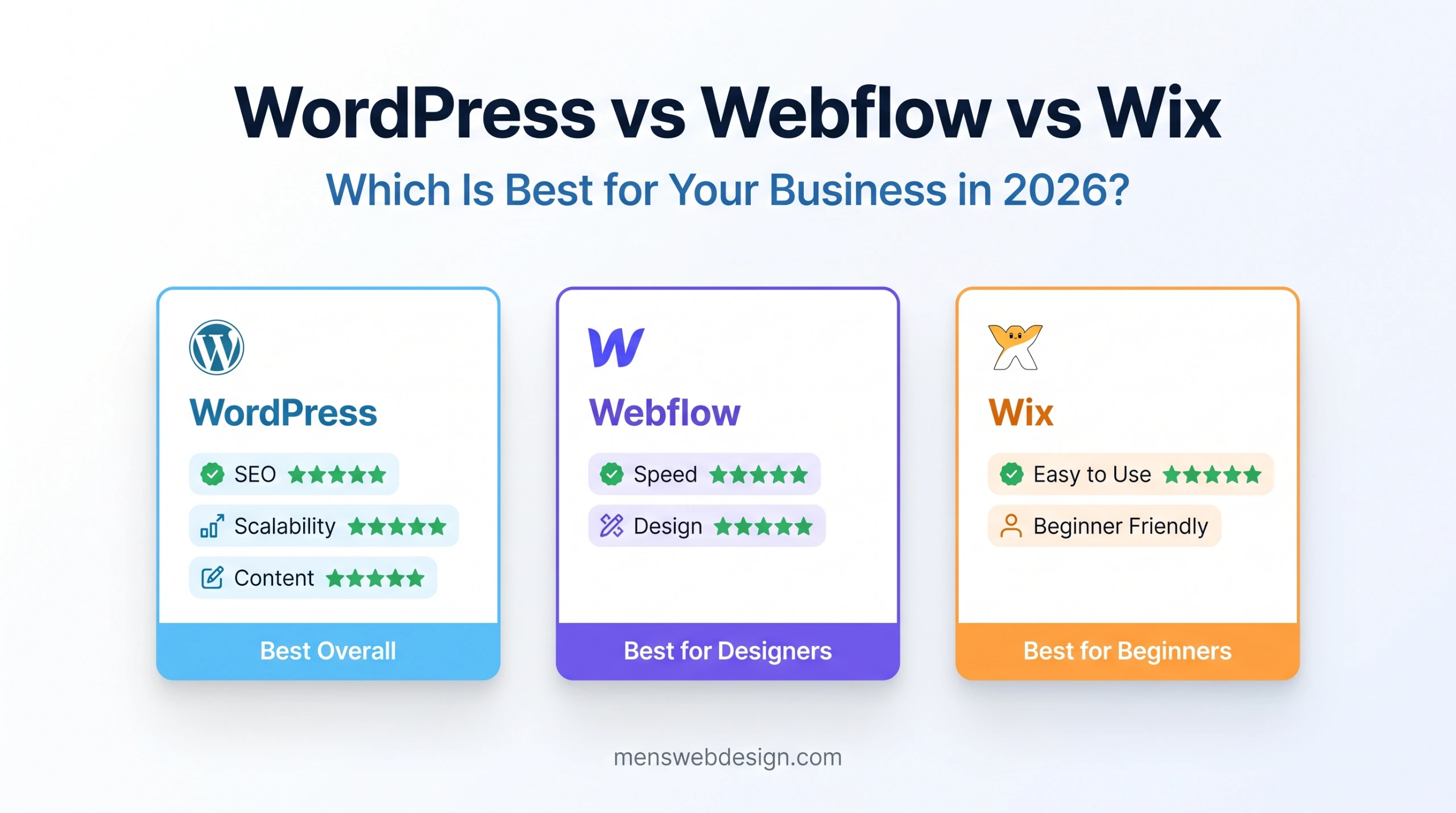
If you’ve ever tried to choose a website platform for your business, you’ve probably ended up in a rabbit hole comparing WordPress, Webflow, and Wix — three of the most popular options available, each with passionate advocates and equally passionate critics.
The honest truth is: all three are legitimate choices — but for very different types of businesses and projects. Choosing the wrong platform can cost you months of frustration, wasted money, and SEO rankings that are harder to recover than you’d expect.
I build on all three platforms professionally. I’ve launched WordPress sites for clients who need powerful content management, Webflow projects for design-forward portfolios and business sites, and helped clients evaluate whether Wix meets their needs before they invest more than necessary.
Here’s my complete, unfiltered comparison — covering everything that actually matters for your decision.
Quick Overview: What Are These Platforms?
Before diving into the comparison, here’s a quick orientation:
WordPress (wordpress.org — self-hosted) is an open-source CMS that you install on your own web hosting. It powers 43% of all websites on the internet. Complete flexibility, massive plugin ecosystem, runs on your own server.
Webflow is a visual web design and hosting platform. You design websites visually in the browser — it generates clean HTML, CSS, and JavaScript automatically. Hosting is included. Best for designers and developers who want visual control.
Wix is a drag-and-drop website builder with hosting included. Designed for non-technical users to build websites quickly without any coding knowledge. The easiest of the three to get started with.
Pricing Comparison
Cost is usually the first question — so let’s get it out of the way.
WordPress
- Software: Free (open source)
- Hosting: $3–$30/month (shared to managed)
- Domain: $10–$20/year
- Premium theme: $0–$100 (one-time)
- Essential plugins: $0–$300/year
- Developer (if needed): $500–$5,000 one-time
Total annual cost (DIY): $50–$600/year Total annual cost (with developer): $550–$5,600 first year
Webflow
- Starter plan: Free (limited, no custom domain)
- Basic: $23/month ($276/year)
- CMS: $39/month ($468/year)
- Business: $79/month ($948/year)
- Hosting included in all paid plans
Total annual cost: $276–$948/year
Wix
- Free plan: Available (Wix ads shown, no custom domain)
- Light: $17/month ($204/year)
- Core: $29/month ($348/year)
- Business: $36/month ($432/year)
- Hosting included in all paid plans
Total annual cost: $204–$432/year
Pricing Verdict
| Platform | Entry Cost | Annual Running Cost | Value For Money |
|---|---|---|---|
| WordPress | Low | $50–$600 | ⭐⭐⭐⭐⭐ |
| Webflow | Medium | $276–$948 | ⭐⭐⭐⭐ |
| Wix | Low | $204–$432 | ⭐⭐⭐ |
WordPress has the lowest potential cost but requires more setup. Wix and Webflow include hosting and are simpler to start. Long-term, WordPress is usually the most cost-effective for growing businesses.
Ease of Use
This is where the three platforms differ most dramatically.
Wix — Easiest ⭐⭐⭐⭐⭐
Wix is designed from the ground up for people with no technical background. The drag-and-drop editor is genuinely intuitive — you can build a basic website in an afternoon with no prior experience. Wix ADI (Artificial Design Intelligence) can even generate a starter website automatically based on a few questions.
Best for: Complete beginners, solopreneurs, small local businesses who need a basic online presence quickly.
WordPress — Moderate Learning Curve ⭐⭐⭐
WordPress is not hard once you understand it — but it has a learning curve. Understanding the difference between pages and posts, navigating the Gutenberg block editor, managing plugins, and configuring an SEO plugin all take time to learn.
With the right theme and plugins, a non-technical business owner can manage their WordPress site comfortably. But the initial setup genuinely benefits from developer involvement.
Best for: Businesses who need content management flexibility and are willing to invest time in learning, or who work with a developer.
Webflow — Steepest Curve ⭐⭐
Webflow is powerful but has the steepest learning curve of the three. Its visual designer is unlike anything else — it maps directly to CSS concepts (flexbox, grid, padding, margin) which means you need to understand design and layout principles to use it effectively.
For designers who know CSS, Webflow is a joy. For complete beginners, it can be overwhelming.
Best for: Web designers and developers who want visual design control without hand-coding CSS.
Design Flexibility & Quality
Wix — Template-Based ⭐⭐⭐
Wix offers hundreds of templates that look good out of the box. However, customisation within each template is limited — you can change colors, fonts, and content, but the overall layout structure is constrained. Wix sites can look very similar to each other, making it harder to stand out.
WordPress — Unlimited ⭐⭐⭐⭐⭐
WordPress gives you complete design freedom. With a page builder like Elementor or Divi, or a well-built custom theme, you can create virtually any design. The combination of a custom theme (like my own MensCreations theme) with WordPress gives you a completely unique, brand-aligned website that nobody else has.
The tradeoff: unlimited flexibility requires either design skills or a designer/developer.
Webflow — Designer-Grade ⭐⭐⭐⭐⭐
Webflow produces the highest quality visual output of the three platforms. Its visual designer gives pixel-perfect control over every element, with proper CSS grid and flexbox layouts, smooth animations, and interactions — all without writing code. Webflow sites often look like they were hand-coded by a skilled developer.
Design verdict: For unique, high-quality design — Webflow or custom WordPress. For quick and decent — Wix.
SEO Performance
SEO is where the differences between platforms matter most for long-term business growth.
Wix SEO — Improved but Limited ⭐⭐⭐
Wix has significantly improved its SEO capabilities in recent years. It now offers:
- Custom meta titles and descriptions per page
- XML sitemap generation
- Robots.txt customisation
- Basic schema markup
- Google Search Console integration
However, Wix still has limitations that matter for serious SEO:
- Page speed is often lower than WordPress or Webflow due to Wix’s rendering approach
- Limited technical SEO control — you can’t fully optimise Core Web Vitals
- No advanced schema markup options
- Platform lock-in means you can’t migrate to faster hosting if needed
Best for: Basic local SEO and simple informational sites where technical SEO depth isn’t critical.
WordPress SEO — Best in Class ⭐⭐⭐⭐⭐
WordPress has the most powerful SEO capabilities of any platform, primarily through plugins like RankMath and Yoast SEO:
- Complete meta title and description control
- Advanced XML sitemap configuration
- Comprehensive schema markup (Article, FAQ, Product, LocalBusiness, HowTo)
- Canonical URL management
- Redirect management
- Internal link suggestions
- Google Search Console integration
- Full technical SEO control (robots.txt, .htaccess, page speed)
Combined with good hosting, a lightweight theme, and proper Core Web Vitals optimisation, WordPress can achieve exceptional SEO performance.
For a detailed WordPress SEO guide, read my WordPress SEO Mistakes post.
Webflow SEO — Clean and Strong ⭐⭐⭐⭐
Webflow produces exceptionally clean, minimal HTML output — no plugin bloat, no unnecessary code. This naturally results in fast pages and good Core Web Vitals scores. Webflow’s built-in SEO features include:
- Per-page meta titles and descriptions
- Open Graph and Twitter Card settings
- XML sitemap (automatically updated)
- 301 redirects management
- Clean semantic HTML output
- Canonical URL control
- Schema markup via custom code embedding
Webflow’s SEO is strong out of the box. The main limitation compared to WordPress is the lack of an equivalent to RankMath’s advanced schema and content optimisation features.
SEO verdict: WordPress wins overall, Webflow is excellent, Wix is sufficient for basic needs.
For a deeper breakdown of how to check your site’s SEO health regardless of platform, use my SEO Audit Checklist 2026.
Performance & Page Speed
Page speed directly affects both user experience and Google rankings through Core Web Vitals.
Wix — Moderate ⭐⭐⭐
Wix has improved its performance significantly but still trails the other two platforms. The main limitations are Wix’s proprietary rendering system and the overhead of the Wix editor infrastructure. Most Wix sites score 60–80 on Google PageSpeed Insights mobile — passable but not exceptional.
WordPress — Depends on Setup ⭐⭐⭐⭐
WordPress performance varies enormously based on hosting, theme, and plugins. A poorly configured WordPress site can be very slow. A well-optimised WordPress site with good hosting, a lightweight theme, WP Rocket, Cloudflare CDN, and WebP images can achieve 90+ on mobile PageSpeed Insights consistently.
The performance ceiling for WordPress is very high — but reaching it requires proper setup and ongoing maintenance.
Webflow — Fast by Default ⭐⭐⭐⭐⭐
Webflow’s code output is remarkably clean and minimal. Combined with Webflow’s global CDN (powered by Fastly), most Webflow sites achieve excellent performance scores with minimal optimisation effort. 90+ on PageSpeed Insights mobile is common for well-built Webflow sites.
Speed verdict: Webflow is fastest by default. WordPress can match or exceed it with proper optimisation. Wix is the slowest of the three.
Content Management
Wix — Simple ⭐⭐⭐⭐
Wix’s content management is straightforward for simple websites. Adding pages, editing text, uploading images — all easy. However, for blogs with many posts, product catalogues, or complex content structures, Wix’s management interface can feel limited.
WordPress — Most Powerful ⭐⭐⭐⭐⭐
WordPress is a purpose-built CMS and the best of the three for managing large amounts of content. The Gutenberg block editor, custom post types, taxonomies (categories and tags), custom fields via ACF, revision history, scheduled publishing, and multi-author support make WordPress the most capable content management platform available.
For businesses publishing regular blog content, managing service pages, or maintaining a large website — WordPress is the clear choice.
Webflow — Good but Developer-Dependent ⭐⭐⭐
Webflow’s CMS is functional but less intuitive than WordPress for non-technical editors. Content collections work well for structured content (blog posts, team members, products), but making layout or design changes requires access to the Webflow designer — which non-technical editors usually don’t use.
Content management verdict: WordPress wins clearly for content-heavy sites. Webflow is good for structured content. Wix is fine for simple sites.
Scalability & Long-term Growth
Wix — Limited ⭐⭐
The biggest problem with Wix for growing businesses is platform lock-in. Your website lives entirely on Wix’s servers. You cannot export your site and move it to another host. If Wix raises prices, changes features, or discontinues a plan — you have limited options.
For a small local business, this may never be an issue. For a business with growth ambitions, it’s a significant constraint.
WordPress — Unlimited ⭐⭐⭐⭐⭐
WordPress scales from a one-page portfolio to a multi-million page enterprise website. You own your files, your database, and your hosting — you can move hosts, change themes, and extend functionality without limits. WordPress powers everything from personal blogs to BBC America and The New Yorker.
Webflow — Good but Costly at Scale ⭐⭐⭐⭐
Webflow scales well technically — its CMS handles thousands of items and its hosting is fast globally. The limitation is cost: Webflow’s pricing increases significantly as your site grows, and the Business plan at $79/month starts to compare unfavourably with managed WordPress hosting at similar performance levels.
E-Commerce
Wix — Basic ⭐⭐⭐
Wix eCommerce is functional for small stores — product listings, cart, checkout, basic inventory. Good for a local business selling a handful of products.
WordPress + WooCommerce — Industry Standard ⭐⭐⭐⭐⭐
WooCommerce turns WordPress into a full e-commerce platform. It powers approximately 26% of all online stores globally. Complete product management, payment gateways, shipping, inventory, subscriptions, memberships — the plugin ecosystem covers virtually every e-commerce requirement.
Webflow Commerce — Limited ⭐⭐⭐
Webflow Commerce is beautiful and well-designed but limited in features compared to WooCommerce. It lacks support for product variations on lower plans, has limited payment gateway options, and becomes expensive quickly. For serious e-commerce, WooCommerce on WordPress is the stronger choice.
Head-to-Head Summary
| Factor | WordPress | Webflow | Wix |
|---|---|---|---|
| Ease of Use | ⭐⭐⭐ | ⭐⭐ | ⭐⭐⭐⭐⭐ |
| Design Quality | ⭐⭐⭐⭐⭐ | ⭐⭐⭐⭐⭐ | ⭐⭐⭐ |
| SEO Capability | ⭐⭐⭐⭐⭐ | ⭐⭐⭐⭐ | ⭐⭐⭐ |
| Page Speed | ⭐⭐⭐⭐ | ⭐⭐⭐⭐⭐ | ⭐⭐⭐ |
| Content Management | ⭐⭐⭐⭐⭐ | ⭐⭐⭐ | ⭐⭐⭐ |
| Scalability | ⭐⭐⭐⭐⭐ | ⭐⭐⭐⭐ | ⭐⭐ |
| E-Commerce | ⭐⭐⭐⭐⭐ | ⭐⭐⭐ | ⭐⭐⭐ |
| Pricing | ⭐⭐⭐⭐⭐ | ⭐⭐⭐ | ⭐⭐⭐⭐ |
| No-Code Friendly | ⭐⭐⭐ | ⭐⭐ | ⭐⭐⭐⭐⭐ |
| Developer Friendly | ⭐⭐⭐⭐⭐ | ⭐⭐⭐⭐⭐ | ⭐⭐ |
Who Should Use Each Platform?
Choose WordPress if:
✅ You need the most powerful SEO capabilities ✅ You’re building a content-heavy website or blog ✅ You need WooCommerce for serious e-commerce ✅ You want complete ownership and portability of your site ✅ You need custom functionality through plugins ✅ You’re working with a developer (like me) to build and manage the site ✅ You’re building for long-term growth and scalability
Choose Webflow if:
✅ You’re a designer or developer who values visual design control ✅ Page speed and clean code output are a priority ✅ You want hosting included with no server management ✅ You’re building a portfolio, agency site, or design-forward marketing site ✅ Your content team is small and technically capable ✅ You want a professional result without writing CSS from scratch
Choose Wix if:
✅ You’re a complete beginner with no technical background ✅ You need a basic website online quickly with minimal effort ✅ Your budget is very limited and you’re doing it yourself ✅ Your website needs are simple — a few pages, basic contact form ✅ You’re testing a business idea before investing in a proper build ✅ You’re a local service business with minimal SEO requirements
My Honest Verdict
For the majority of business owners reading this: WordPress is the right choice. The combination of unmatched SEO capability, content management power, scalability, and cost-effectiveness makes it the strongest long-term investment for most businesses.
For designers and creative agencies: Webflow is the right choice. The design quality, clean code output, and built-in hosting create a workflow that’s genuinely hard to beat for visually sophisticated projects.
For absolute beginners who just need something online quickly and cheaply: Wix is acceptable as a starting point — but plan to migrate to WordPress or Webflow when your business grows beyond its limitations.
If you’re not sure which platform fits your specific project, get in touch with me. Choosing the right platform from the start saves significant time, money, and ranking recovery work down the road.